01

Customer Success beyond Service Hub

Full access to HubSpot’s dedicated Customer Success Workspace requires Service Hub Professional or higher and an assigned Service Seat. Planhat connects customer health, revenue and delivery in one platform, so Customer Success teams see the commercial picture behind every renewal and expansion.

Full access to HubSpot’s dedicated Customer Success Workspace requires Service Hub Professional or higher and an assigned Service Seat. Planhat connects customer health, revenue and delivery in one platform, so Customer Success teams see the commercial picture behind every renewal and expansion.

02

From deal to delivery to renewal

HubSpot can create a project when a deal closes, but timesheets and resource planning can require a separate PSA app. In Planhat, the onboarding project runs with time tracking, timesheets and resource planning, Health Scores follow adoption, and the renewal moves through its own pipeline, all on the same customer records.

HubSpot can create a project when a deal closes, but timesheets and resource planning can require a separate PSA app. In Planhat, the onboarding project runs with time tracking, timesheets and resource planning, Health Scores follow adoption, and the renewal moves through its own pipeline, all on the same customer records.

03

A multiplayer customer agent across the lifecycle
HubSpot’s AI agents work within its CRM and Hub-based workflows, while dedicated Customer Success features stay tied to Service Hub entitlements. Pi works within Planhat OS, using the customer context each user is permitted to access across your commercial teams. Describe an at-risk renewal workflow to Pi, and it builds an Agent for your team to review, configure and activate.

HubSpot’s AI agents work within its CRM and Hub-based workflows, while dedicated Customer Success features stay tied to Service Hub entitlements. Pi works within Planhat OS, using the customer context each user is permitted to access across your commercial teams. Describe an at-risk renewal workflow to Pi, and it builds an Agent for your team to review, configure and activate.

Speed. Flexibility. Scale.

Recognized by industry analysts

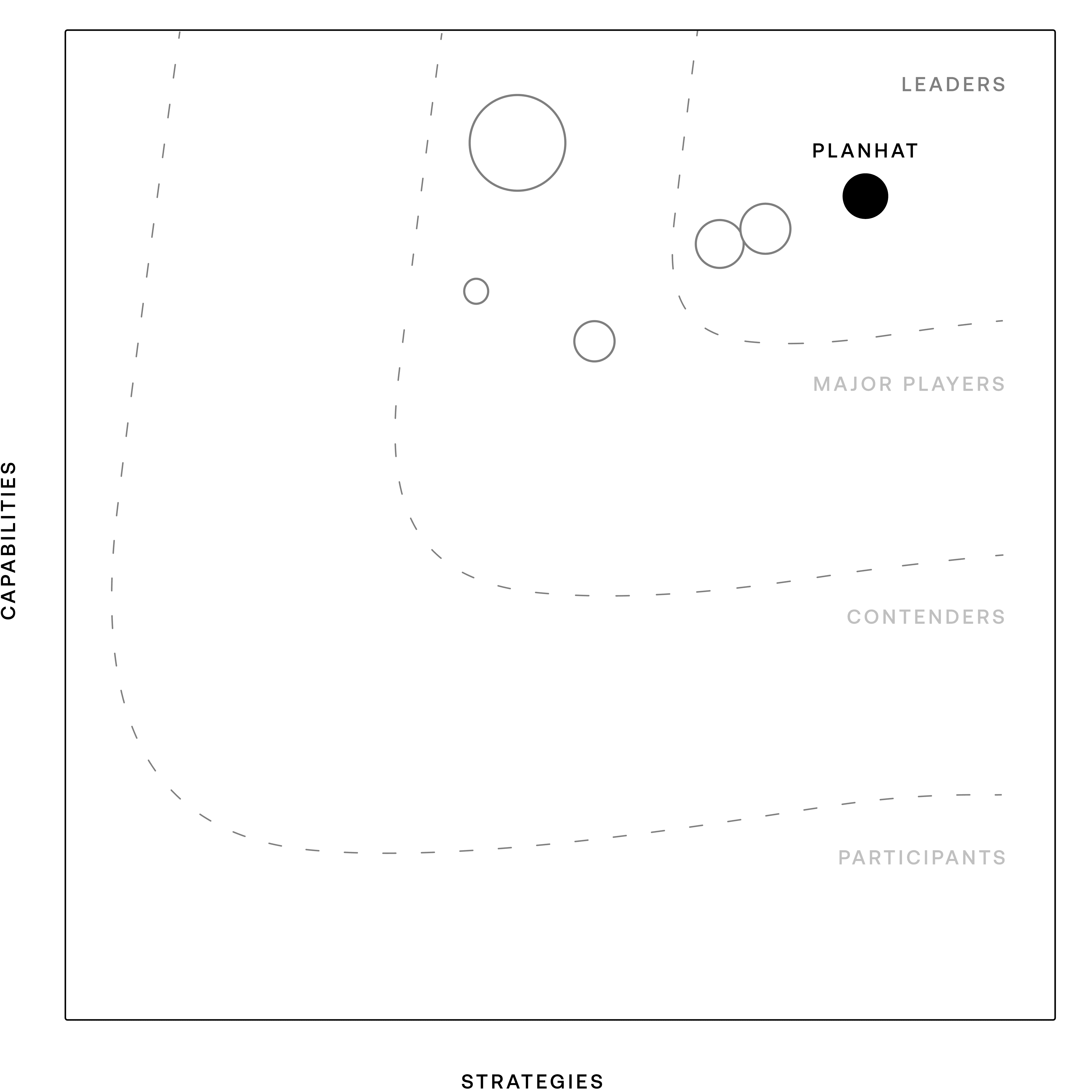
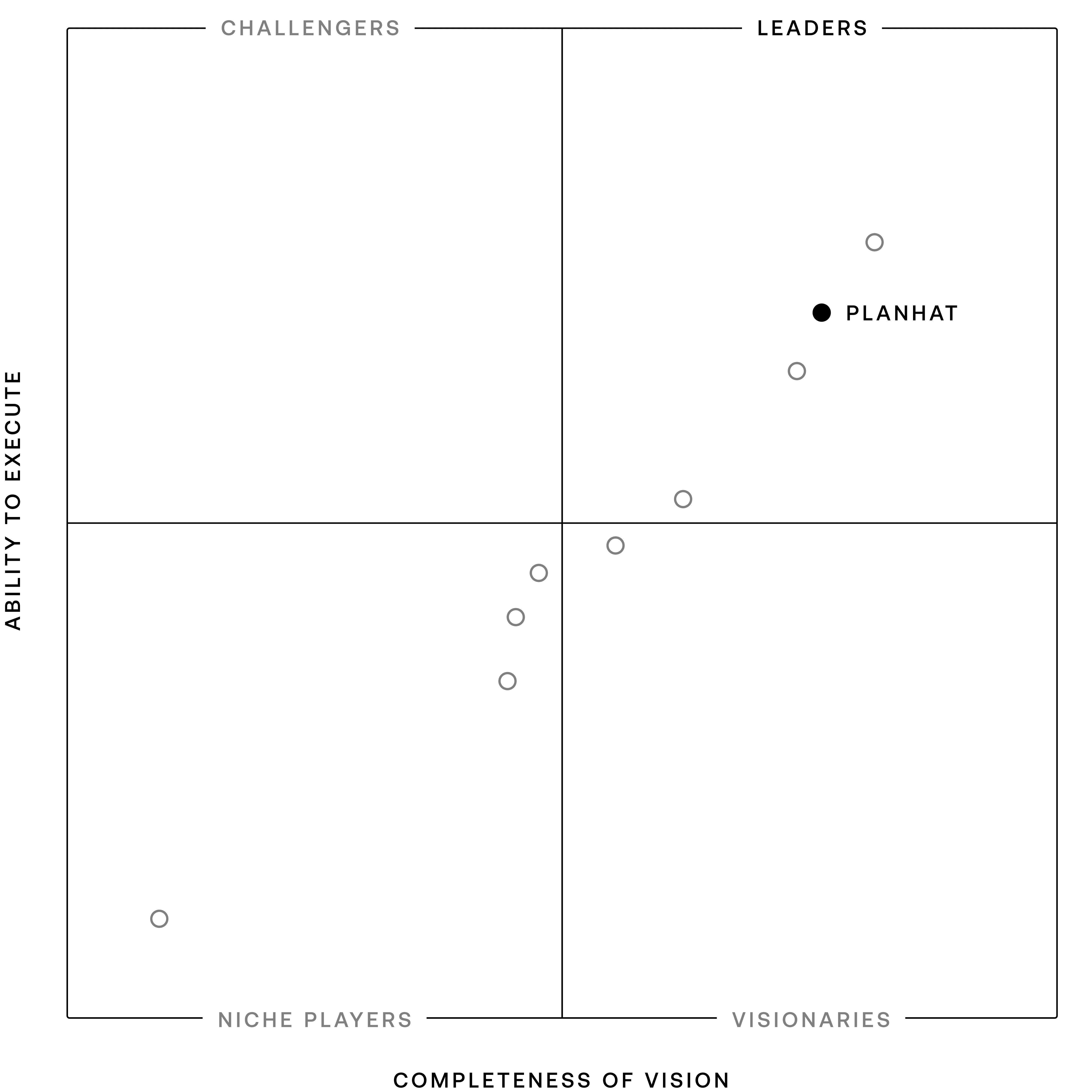
Planhat is recognized as a global leader by industry analysts.

MarketScape for Worldwide Customer Success Applications

Magic Quadrant™ for Customer Success Management Platforms

Recognized as market leader in PSA 2026

Speed. Flexibility. Scale.

Recognized by industry analysts

Planhat is recognized as a global leader by industry analysts.

MarketScape for Worldwide Customer Success Applications

Magic Quadrant™ for Customer Success Management Platforms

Recognized as market leader in PSA 2026

HubSpot vs Planhat for Customer Success

HubSpot vs Planhat for Customer Success

HubSpot vs Planhat for Customer Success

Feature comparison

Feature comparison

Feature comparison

Planhat

HubSpot

Platform scope

Platform scope

CRM, Customer Success and Professional Services in one agentic customer platform.

CRM, Customer Success and Professional Services in one agentic customer platform.

A CRM where dedicated Customer Success tools are licensed through Service Hub.

A CRM where dedicated Customer Success tools are licensed through Service Hub.

A CRM where dedicated Customer Success tools are licensed through Service Hub.

Professional Services

Professional Services

Time tracking, timesheets, billable time, resource allocation, capacity planning and Gantt charts, connected to CRM and Customer Success.

Time tracking, timesheets, billable time, resource allocation, capacity planning and Gantt charts, connected to CRM and Customer Success.

Native project management, but no dedicated PSA suite for timesheets, resource allocation and capacity planning. Specialist workflows may require a separate PSA app.

Native project management, but no dedicated PSA suite for timesheets, resource allocation and capacity planning. Specialist workflows may require a separate PSA app.

Native project management, but no dedicated PSA suite for timesheets, resource allocation and capacity planning. Specialist workflows may require a separate PSA app.

Customer Success access requirements

Customer Success access requirements

Built into the same platform as CRM and Professional Services.

Built into the same platform as CRM and Professional Services.

No full access to the dedicated Customer Success Workspace without Service Hub Professional or higher and an assigned Service Seat.

No full access to the dedicated Customer Success Workspace without Service Hub Professional or higher and an assigned Service Seat.

No full access to the dedicated Customer Success Workspace without Service Hub Professional or higher and an assigned Service Seat.

Customer health

Customer health

Time-series usage metrics and user activities feed configurable Health Scores, with trend charts and calculated metrics for change over time.

Time-series usage metrics and user activities feed configurable Health Scores, with trend charts and calculated metrics for change over time.

Limited to 10 activation or usage definitions per portal in its beta Customer Success product usage feature.

Limited to 10 activation or usage definitions per portal in its beta Customer Success product usage feature.

Limited to 10 activation or usage definitions per portal in its beta Customer Success product usage feature.

AI assistant

AI assistant

Pi works with the customer data each user can access across Planhat OS, from deals to customer health. It builds Agents and Pages from plain English, and works with your team in Sessions or runs scheduled jobs.

Pi works with the customer data each user can access across Planhat OS, from deals to customer health. It builds Agents and Pages from plain English, and works with your team in Sessions or runs scheduled jobs.

Breeze and Agent Builder support AI workflows, but specialist PSA context such as timesheets and resource planning may depend on separate integrations.

Breeze and Agent Builder support AI workflows, but specialist PSA context such as timesheets and resource planning may depend on separate integrations.

Breeze and Agent Builder support AI workflows, but specialist PSA context such as timesheets and resource planning may depend on separate integrations.

Customer collaboration

Customer collaboration

Customer Portals where clients work alongside your team, built from templates with external user roles, which customers can open with one click from inside your product.

Customer Portals where clients work alongside your team, built from templates with external user roles, which customers can open with one click from inside your product.

Native support portal focused on ticket visibility and management, without built-in shared onboarding and customer collaboration workflows.

Native support portal focused on ticket visibility and management, without built-in shared onboarding and customer collaboration workflows.

Native support portal focused on ticket visibility and management, without built-in shared onboarding and customer collaboration workflows.

Tailored team experiences

Tailored team experiences

Home views tailored to each team or role with Content Templates, which every user can personalize.

Home views tailored to each team or role with Content Templates, which every user can personalize.

Limited to one Customer Success Workspace on Professional and five on Enterprise.

Limited to one Customer Success Workspace on Professional and five on Enterprise.

Limited to one Customer Success Workspace on Professional and five on Enterprise.

Support and partnership (G2)

Support and partnership (G2)

Quality of Support 9.2, Good Partner in Doing Business 9.3, Product Direction 9.2. (Source: G2, October 2026)

Quality of Support 9.2, Good Partner in Doing Business 9.3, Product Direction 9.2. (Source: G2, October 2026)

Quality of Support 8.8, Good Partner in Doing Business 8.8, Product Direction 8.7. (Source: G2, October 2026)

Quality of Support 8.8, Good Partner in Doing Business 8.8, Product Direction 8.7. (Source: G2, October 2026)

Quality of Support 8.8, Good Partner in Doing Business 8.8, Product Direction 8.7. (Source: G2, October 2026)

Hub, seat and workspace requirements

Hub, seat and workspace requirements

Full access to HubSpot’s dedicated Customer Success Workspace requires Service Hub Professional or higher and an assigned Service Seat. Professional allows a single workspace, and team-specific workspaces, capped at five, require the top plan. In Planhat, admins tailor home views for each team or role with Content Templates.

Professional Services in a separate app

Professional Services in a separate app

HubSpot manages projects natively, but specialist work such as timesheets and resource planning can require an additional PSA app with its own subscription. Planhat runs time tracking, timesheets, resource allocation and capacity planning on the same records as CRM and Customer Success.


Partnership with Planhat has enabled us at Telia Cygate to get the customer data and the visibility we need to actually scale the customer experience to all customers at all times. That's unprecedented for us.”

“

Fredrik Sidmar

CEO

How Telia Cygate Achieved Full Visibility Across Every Customer — article poster image

“Partnership with Planhat has enabled us at Telia Cygate to get the customer data and the visibility we need to actually scale the customer experience to all customers at all times. That's unprecedented for us.”

Fredrik Sidmar

CEO

How Telia Cygate Achieved Full Visibility Across Every Customer — article poster image

Watch

Partnership with Planhat has enabled us at Telia Cygate to get the customer data and the visibility we need to actually scale the customer experience to all customers at all times. That's unprecedented for us.”

“

Fredrik Sidmar

CEO

How Telia Cygate Achieved Full Visibility Across Every Customer — article poster image

Watch

Anybody who really wants to drive change in their organisation and find a way to bring teams together can leverage Planhat and find value for their function.”

“

Seth Terbeek

Vice President of Customer Transformation

A Platform Built for Scale — article poster image

“Anybody who really wants to drive change in their organisation and find a way to bring teams together can leverage Planhat and find value for their function.”

Seth Terbeek

Vice President of Customer Transformation

A Platform Built for Scale — article poster image

Watch

Anybody who really wants to drive change in their organisation and find a way to bring teams together can leverage Planhat and find value for their function.”

“

Seth Terbeek

Vice President of Customer Transformation

A Platform Built for Scale — article poster image

Watch

Even just a quarter into going live, my visibility into the business is significantly deeper than it was before. ”

“

Frank Lucier

Chief Customer Success Officer

From Zero to One — article poster image

“Even just a quarter into going live, my visibility into the business is significantly deeper than it was before. ”

Frank Lucier

Chief Customer Success Officer

From Zero to One — article poster image

Watch

Even just a quarter into going live, my visibility into the business is significantly deeper than it was before. ”

“

Frank Lucier

Chief Customer Success Officer

From Zero to One — article poster image

Watch

A HubSpot alternative for Customer Success teams of every size

A HubSpot alternative for Customer Success teams of every size

For Zero to One

For Zero to One

Don’t make your Customer Success team wait for a CRM replacement. Keep HubSpot where you need it, and run customer health, renewals, onboarding and post-sale work in Planhat, with two-way sync keeping supported records aligned in both systems.

For Fast-Growing Teams

For Fast-Growing Teams

Move beyond HubSpot’s Customer Success workspace limits. Tailor each team’s home views with Content Templates, and run customer health, revenue and service delivery in one configurable platform.

For Household Names

For Household Names

Planhat is ISO/IEC 27001:2022 certified and has a SOC 2 Type 2 report. Implementation projects and resource planning run on the same customer records as Customer Success. Pi works within each user’s permissions, every action it takes is recorded in the system logs, Agents can include human approval steps, and admins manage AI settings in the AI Governance Hub.
“

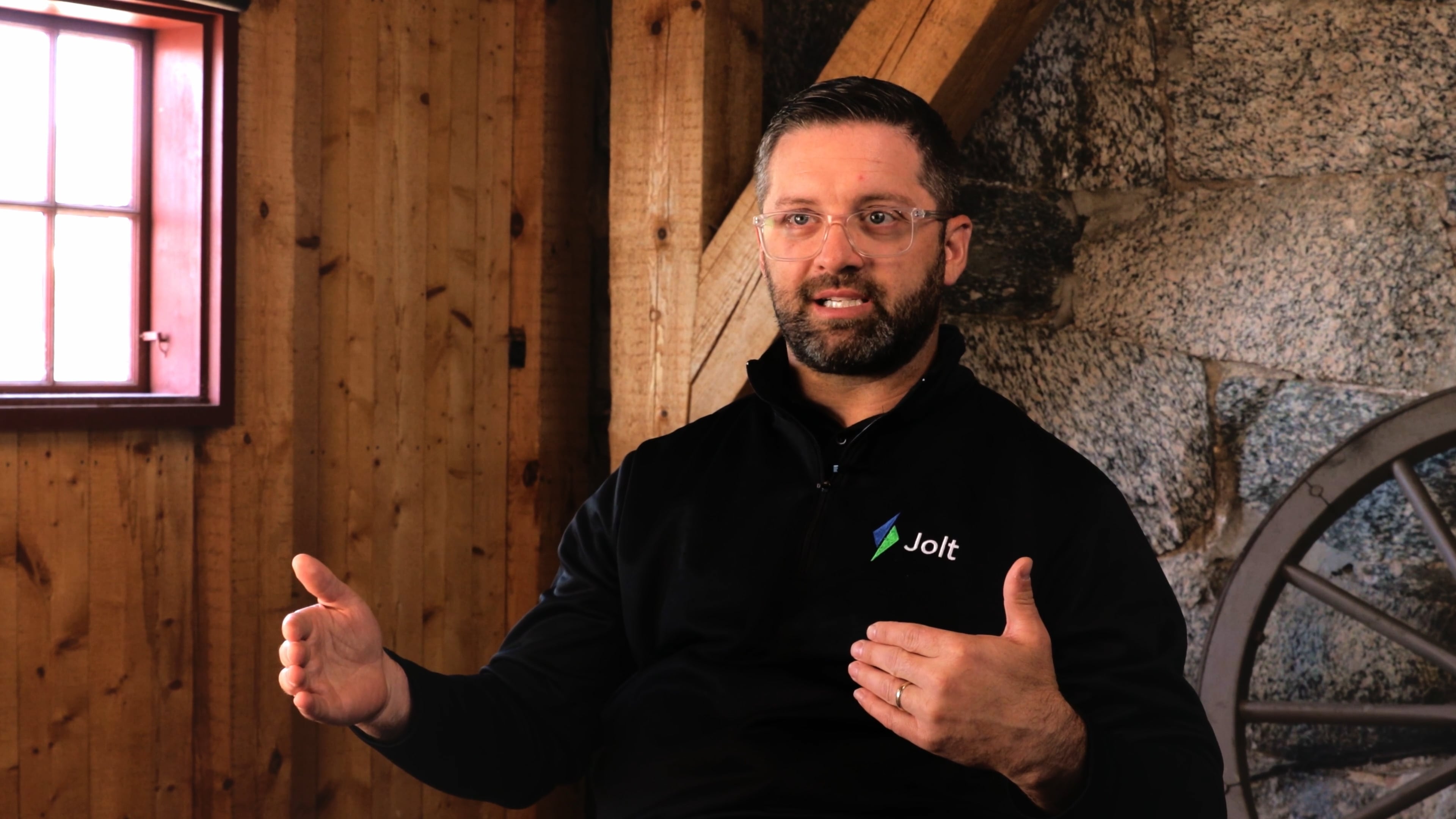
I would say we were 80/20 reactive, so we were reactive a majority of our day—and now I can confidently state we're 70% proactive.”

Adam Cooney

Vice President of Customer Success

Jolt

Watch

Becoming More Proactive and Efficient — article cover image
“

I would say we were 80/20 reactive, so we were reactive a majority of our day—and now I can confidently state we're 70% proactive.”

Adam Cooney

Vice President of Customer Success

Jolt

Becoming More Proactive and Efficient — article cover image

Watch

01

Discovery and scoping

Discovery and scoping

Planhat’s team works with yours to agree on goals, success criteria and the right path: keep HubSpot as the CRM and sync it, or move the CRM into Planhat. Together they review HubSpot properties, pipelines, projects, workflows and any Customer Success Workspace setup.

02

Data connection and migration

Data connection and migration

Planhat’s HubSpot integration syncs Companies, Contacts, Deals, Tasks and Tickets, with the direction set per object and per field. Support tickets from Zendesk, Intercom or Freshdesk sync through native integrations. Historical records, custom properties and associations are assessed during migration planning, and supported data moves over through configured sync, spreadsheet imports or the API.

03

Configuration and setup

Configuration and setup

Health Score profiles, Content Templates, roles and permissions are set up for each team. Agents start from templates or from a plain-English request to Pi, and Customer Portals are configured for client-facing work.

04

Validation and testing

Validation and testing

Migrated data, Health Score logic, workflows and Agents are validated with your team before launch. Pilot users give feedback before go-live.

05

Go-live and enablement

Go-live and enablement

Rollout follows a tried-and-tested induction with short user training. Teams start managing accounts in Planhat right away, with ongoing training and a free Power User Certification program for admins.

Is HubSpot a CRM, a customer success platform, or both?

HubSpot is a CRM, with dedicated Customer Success tools inside Service Hub, its customer service product. Planhat is an agentic customer platform that combines CRM, customer success and professional services automation in one system. Deals, renewals, Health Scores and implementation projects all share the same records.

Can Planhat replace HubSpot as our CRM?

Yes. Planhat can be your CRM for customer relationships, deals, multiple pipelines, renewals and forecasting, with Customer Success and Professional Services in the same platform. Teams can replace HubSpot for their CRM workflows, or keep it for selected functions such as marketing and sync supported records in both directions.

When does a team outgrow HubSpot for Customer Success?

HubSpot’s own guide to CRMs for Customer Success notes that “a specialized platform like Gainsight or Planhat may offer the granular control a CRM lacks.” Teams also reach that point when they hit Service Hub workspace limits, need product usage tracking beyond 10 definitions, or need timesheets and resource planning alongside Customer Success. Planhat covers all of this and stays connected to HubSpot if the team keeps it.

What is the best HubSpot alternative for Customer Success teams?

Planhat. HubSpot’s dedicated Customer Success features depend on Service Hub, and specialist PSA work such as timesheets and resource planning can require a separate app. Planhat brings CRM, Customer Success and Professional Services together on the same customer records, and Pi, the multiplayer customer agent, works with the customer context each user can access. At DrFirst, the team reports “hundreds of hours saved by using agents in Planhat.”

What does running CRM, Customer Success and Professional Services in one system look like?

A deal closes in Planhat’s CRM pipeline, and the onboarding project starts with time tracking, timesheets and resource planning. Health Scores track adoption, configured Agents act on relevant signals, and renewals move through their own pipeline. Sales, Customer Success and Professional Services teams see the same customer history at every step.

Why do companies move Customer Success off HubSpot if it is easy to use?

Full access to HubSpot’s dedicated Customer Success Workspace requires Service Hub Professional or higher and an assigned Service Seat, and Professional allows a single workspace. As post-sale work grows, teams move to Planhat, where Content Templates tailor home views for each team on the same customer records. Connection reports an 80% reduction in admin time with Planhat.

How much product usage can we track for Customer Success?

In HubSpot, product usage tracking in the Customer Success Workspace is capped at 10 activation or usage definitions per portal, and the feature is in beta. Planhat tracks product usage as time-series metrics and user activities that feed configurable Health Scores. Calculated metrics show how health changes over time, and Agents can act when a Health Score drops below a threshold.

Is Planhat hard to run without a dedicated admin?

Planhat is configurable by design. Teams start from templates, and Pi builds Agents and Pages from plain-English requests. DrFirst describes getting started “with minimal build out.”

How is Pi different from HubSpot Breeze and Agent Builder?

HubSpot’s AI agents work within its CRM and Hub-based workflows, and its dedicated Customer Success features depend on Service Hub entitlements. Pi is Planhat’s multiplayer customer agent and works within Planhat OS, using the customer context each user is permitted to access. It finds, creates and updates records and builds Agents and Pages from a plain-English request, which your team reviews and activates. Agents can include human approval steps, and admins manage AI settings in the AI Governance Hub.

Can we use Planhat and HubSpot at the same time?

Yes. Planhat’s HubSpot integration syncs Companies, Contacts, Deals, Tasks and Tickets, with the sync direction configurable per object and per field. Teams can keep HubSpot for marketing and sales and run post-sale work in Planhat.

Is HubSpot a PSA? Which platform combines CRM, Customer Success and Professional Services?

HubSpot offers a Projects object with pipelines, Gantt views and project reporting. Specialist PSA work such as timesheets and resource planning can require an additional PSA app with its own subscription. Planhat includes Professional Services automation, with time tracking, timesheets, billable time, resource allocation, capacity planning and Gantt charts, on the same records as Customer Success and CRM.

HubSpot has a built-in help desk. How does Planhat handle support tickets?

Planhat connects to the help desk a team already uses. Native integrations sync tickets from Zendesk, Intercom and Freshdesk, and the HubSpot integration syncs HubSpot tickets, so support activity feeds Health Scores and account views.

How long does it take to switch from HubSpot to Planhat?

The timeline depends on the migration scope agreed during discovery, including whether HubSpot stays in place or the CRM moves into Planhat. On average, Planhat’s Customer Success deployments take less than six weeks, moving through data connection, process build and training, and Planhat’s forward deployed engineering offering can shorten deployment further.