01
A CRM that comes with the platform
02
Delivery connected to health and renewals
03
Faster to value, configured by your team
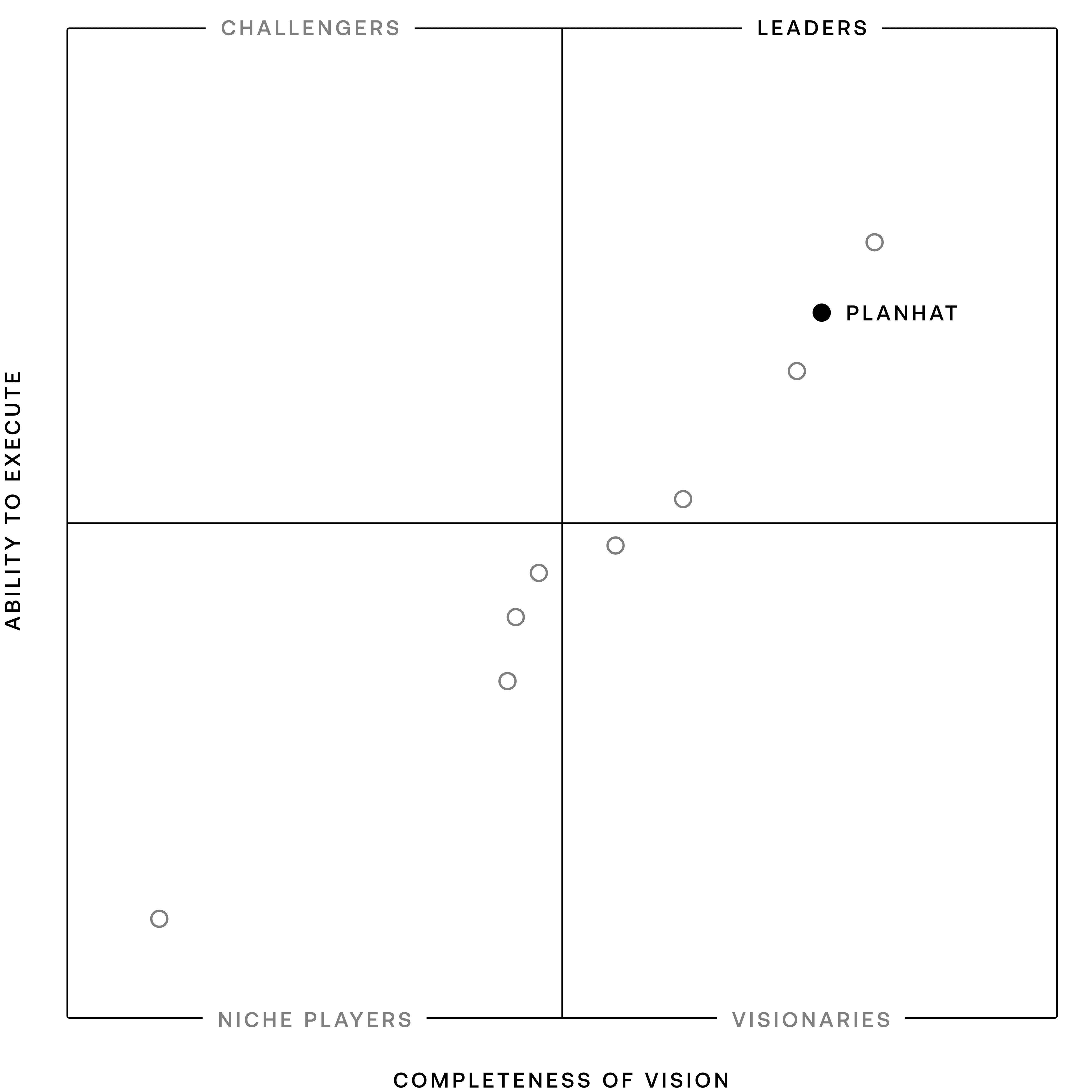
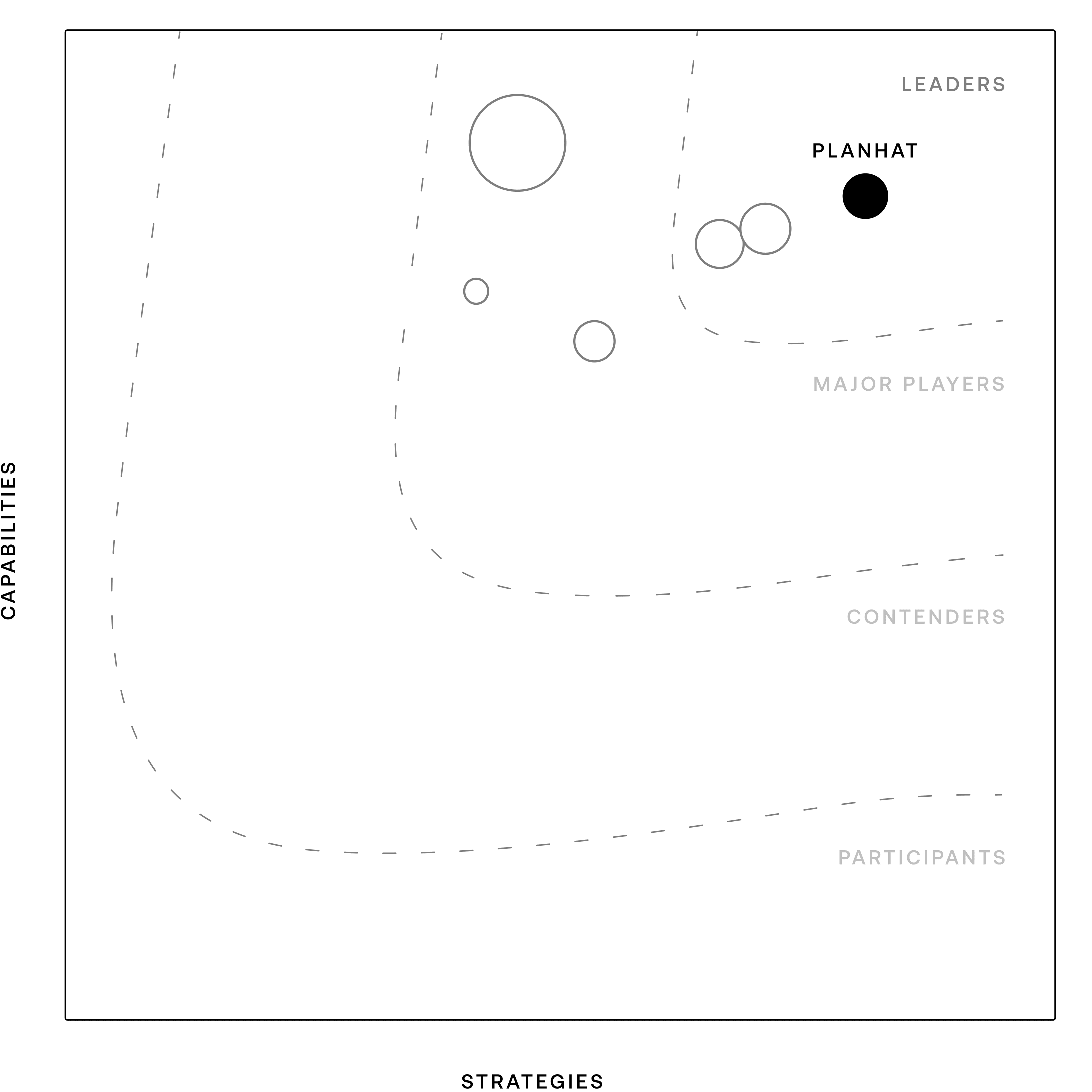
Planhat
Certinia
Salesforce Platform subscriptions acquired under Certinia’s agreement exclude access to Leads, Opportunities and Forecasts unless the agreement or an order form specifies otherwise, and creating a project from an opportunity needs a full Salesforce license. Customer Success Cloud’s AppExchange listing names Sales Cloud and Service Cloud as required Salesforce products, and customer collaboration runs on Experience Cloud sites. Planhat brings CRM, Customer Success, Professional Services and Customer Portals into one platform.
Certinia’s PSA documentation recommends adjusting batch sizes and scheduling large jobs during off-peak hours to help manage Salesforce platform limits when processing high data volumes, and custom indexes in Salesforce can only be created by Salesforce support. Its included Standard support plan offers 12x5 access with a two-business-day response time; 24x7 support for P1 and P2 issues comes with the Premier and Elite plans.

On G2, Planhat scores 9.2 for Quality of Support and 8.2 for Ease of Admin, compared with 8.1 and 7.2 for Certinia PS Cloud.
G2 reviewer data lists an average of three months to implement Planhat and 11 months to return on investment, compared with six months and 21 months for Certinia PS Cloud.
Teams moving from Certinia can keep Salesforce for their sales team and run delivery and success in Planhat, or bring CRM, Customer Success and Professional Services into one platform.
Planhat’s Salesforce integration syncs accounts, contacts, opportunities and projects in one or both directions, with the direction set per configured mapping. Custom Salesforce objects can sync with Planhat custom models.
Run deals, renewals, Health Scores and implementation projects on one set of customer records, with Pi using the customer context available to each user.
Planhat is ISO/IEC 27001:2022 certified and has a SOC 2 Type 2 report. Pi works within each user’s permissions, every action it takes is recorded in the system logs, Agents can include human approval steps, and admins manage AI settings in the AI Governance Hub.
01
Planhat’s team works with yours to agree on goals, success criteria and the right migration approach: keep Salesforce for sales and sync it, or consolidate onto Planhat. Together they review your Certinia projects, time data, resourcing setup, success plans and Salesforce integrations.
02
CRM, usage and support data connect to Planhat through native integrations, spreadsheet imports or the API. Your Certinia records and project history are assessed during discovery, and the migration plan defines which data moves over through supported integrations, spreadsheets or the API.
03
Health Score profiles, Content Templates, roles and permissions are set up for each team. Delivery processes are configured in Planhat using Project Workflows, Scheduled Time and Work Roles, based on the agreed migration scope. Agents start from templates or a plain-English request to Pi.
04
Migrated data, Health Score logic, workflows and Agents are validated with your team before launch. Pilot users give feedback before go-live.
05
Rollout follows a tried-and-tested induction with short user training. Teams start managing accounts in Planhat right away, with ongoing training and a free Power User Certification program for admins.
Is Certinia built on Salesforce?
Does Certinia require Salesforce licenses?
What is the best Certinia alternative?
Which platforms combine PSA and CRM without Salesforce?
What is the difference between PSA and CRM?
Is Certinia an ERP?
Is Planhat a CRM tool?
What PSA capabilities does Planhat include?
Can Planhat run alongside Salesforce?
How does Certinia Veda compare with Planhat Pi?
Can customers see their implementation project?
Is Planhat hard to run without a dedicated admin?
How hard is it to migrate from Certinia, and how long does it take?