Discover how the Planhat platform—applied to Professional Services—empowers you to deliver more value, to more clients, faster than ever.
Share
Planhat for professional services: a product that was built for speed, to be intuitive and to allow for collaboration both externally with your customers as well as internally with your colleagues.
If I worked in professional services, this may very well be my landing page in Planhat, an overview of my current projects, key details about each project, key analysis of the projects that I have ongoing. All of this is interactive — I could drill down to anything here. I could preview the project plan, key details about this project plan, how much is budgeted, how much I’ve billed to date, how many hours were budgeted, how many hours I've used to date. I could see all the tasks within here, in this classic project plan view. I can add in steps that I need to for this customer; I can delete steps that may not be required, if I'm working off of a project plan template. Scrolling over, you can also see I've chosen to share certain steps with my customer in the portal (a concept that I'll come back to in a minute). But I've kept other steps purely internal — the customer doesn't need to know these things happened.
“I can lean on AI to update things like project progress, project risk, even the project score.”
Planhat for professional services: a product that was built for speed, to be intuitive and to allow for collaboration both externally with your customers as well as internally with your colleagues.
If I worked in professional services, this may very well be my landing page in Planhat, an overview of my current projects, key details about each project, key analysis of the projects that I have ongoing. All of this is interactive — I could drill down to anything here. I could preview the project plan, key details about this project plan, how much is budgeted, how much I’ve billed to date, how many hours were budgeted, how many hours I've used to date. I could see all the tasks within here, in this classic project plan view. I can add in steps that I need to for this customer; I can delete steps that may not be required, if I'm working off of a project plan template. Scrolling over, you can also see I've chosen to share certain steps with my customer in the portal (a concept that I'll come back to in a minute). But I've kept other steps purely internal — the customer doesn't need to know these things happened.
“I can lean on AI to update things like project progress, project risk, even the project score.”
Planhat for professional services: a product that was built for speed, to be intuitive and to allow for collaboration both externally with your customers as well as internally with your colleagues.
If I worked in professional services, this may very well be my landing page in Planhat, an overview of my current projects, key details about each project, key analysis of the projects that I have ongoing. All of this is interactive — I could drill down to anything here. I could preview the project plan, key details about this project plan, how much is budgeted, how much I’ve billed to date, how many hours were budgeted, how many hours I've used to date. I could see all the tasks within here, in this classic project plan view. I can add in steps that I need to for this customer; I can delete steps that may not be required, if I'm working off of a project plan template. Scrolling over, you can also see I've chosen to share certain steps with my customer in the portal (a concept that I'll come back to in a minute). But I've kept other steps purely internal — the customer doesn't need to know these things happened.
“I can lean on AI to update things like project progress, project risk, even the project score.”
Scrolling up, a lot of the fields here can actually be updated, leveraging AI — so bringing in our call transcripts, all email communication, all product usage data, and analyzing the project itself. I can lean on AI to update things like project progress, project risk, even the project score. If I were to update anything here, like total hours used, it’ll update time remaining in real time.
And then scrolling down, I can see all time entries against the project here. Key details of when they occurred and how much time was spent on each task. I can also collaborate with colleagues. And I can ask questions, comment and upload files right here on the project plan itself.
Jumping back out, if I wanted to see sort of an agile task view of all the things that have going on across all my projects, I can come in here to the classic Kanban style view. I can drag and drop tasks. I can update key fields directly from here. I can open up this individual task, update checklists. I can comment, I can add time entries here. I can also add time entries at the project level.
“And as you open up any one of these things, in this case an email exchange, I can see all emails sort of nicely nested within here. I could leverage AI at the top to do a quick analysis or quick summary of all the email communication back and forth.”
Scrolling up, a lot of the fields here can actually be updated, leveraging AI — so bringing in our call transcripts, all email communication, all product usage data, and analyzing the project itself. I can lean on AI to update things like project progress, project risk, even the project score. If I were to update anything here, like total hours used, it’ll update time remaining in real time.
And then scrolling down, I can see all time entries against the project here. Key details of when they occurred and how much time was spent on each task. I can also collaborate with colleagues. And I can ask questions, comment and upload files right here on the project plan itself.
Jumping back out, if I wanted to see sort of an agile task view of all the things that have going on across all my projects, I can come in here to the classic Kanban style view. I can drag and drop tasks. I can update key fields directly from here. I can open up this individual task, update checklists. I can comment, I can add time entries here. I can also add time entries at the project level.
“And as you open up any one of these things, in this case an email exchange, I can see all emails sort of nicely nested within here. I could leverage AI at the top to do a quick analysis or quick summary of all the email communication back and forth.”
Scrolling up, a lot of the fields here can actually be updated, leveraging AI — so bringing in our call transcripts, all email communication, all product usage data, and analyzing the project itself. I can lean on AI to update things like project progress, project risk, even the project score. If I were to update anything here, like total hours used, it’ll update time remaining in real time.
And then scrolling down, I can see all time entries against the project here. Key details of when they occurred and how much time was spent on each task. I can also collaborate with colleagues. And I can ask questions, comment and upload files right here on the project plan itself.
Jumping back out, if I wanted to see sort of an agile task view of all the things that have going on across all my projects, I can come in here to the classic Kanban style view. I can drag and drop tasks. I can update key fields directly from here. I can open up this individual task, update checklists. I can comment, I can add time entries here. I can also add time entries at the project level.
“And as you open up any one of these things, in this case an email exchange, I can see all emails sort of nicely nested within here. I could leverage AI at the top to do a quick analysis or quick summary of all the email communication back and forth.”
Jumping into my inbox, this is a really exciting part for professional services because we're consolidating all customer communication, be it support tickets, in app chat, email communication or call recordings, whether they're happening with the sales team, the customer success team, or your support team. You're able to view all communication that's happening with projects that you're working on. And as you open up any one of these things, in this case an email exchange, I can see all emails sort of nicely nested within here. I could leverage AI at the top to do a quick analysis or quick summary of all the email communication back and forth.
We'll also leverage AI to categorize the sentiment of all customer communication happening. So as each call recording, support interaction, email comes through, we're automatically categorizing the sentiment. Should there ever be a negative interaction during implementation, you can be notified immediately. Zooming out, I can see if the trend sentiment is overall trending up throughout implementation or is trending down. I can be alerted to those changes. I can also categorize the type of interaction that this was: a sign, a priority, all with AI.
Jumping out of here, if I were on the professional services management team, I'd have access to this section — access can be restricted. I could choose to share this only with certain people. And when I think about professional services management, one of the first things that comes to mind is resource allocation. With Planhat, I can bring over late stage opportunities for my CRM before they reach closed won. So I can see the actual sales stage, expected close dates, estimated hours. Scrolling down, I can also see my team’s forecasting utilization so I can begin to assign project plans before they've even become closed won.
“I can see across my team key details such as skill sets, languages, time zones. When I think about allocating resources, I can easily see unassigned work and have that same sort of view of capacity.”
Jumping into my inbox, this is a really exciting part for professional services because we're consolidating all customer communication, be it support tickets, in app chat, email communication or call recordings, whether they're happening with the sales team, the customer success team, or your support team. You're able to view all communication that's happening with projects that you're working on. And as you open up any one of these things, in this case an email exchange, I can see all emails sort of nicely nested within here. I could leverage AI at the top to do a quick analysis or quick summary of all the email communication back and forth.
We'll also leverage AI to categorize the sentiment of all customer communication happening. So as each call recording, support interaction, email comes through, we're automatically categorizing the sentiment. Should there ever be a negative interaction during implementation, you can be notified immediately. Zooming out, I can see if the trend sentiment is overall trending up throughout implementation or is trending down. I can be alerted to those changes. I can also categorize the type of interaction that this was: a sign, a priority, all with AI.
Jumping out of here, if I were on the professional services management team, I'd have access to this section — access can be restricted. I could choose to share this only with certain people. And when I think about professional services management, one of the first things that comes to mind is resource allocation. With Planhat, I can bring over late stage opportunities for my CRM before they reach closed won. So I can see the actual sales stage, expected close dates, estimated hours. Scrolling down, I can also see my team’s forecasting utilization so I can begin to assign project plans before they've even become closed won.
“I can see across my team key details such as skill sets, languages, time zones. When I think about allocating resources, I can easily see unassigned work and have that same sort of view of capacity.”
Jumping into my inbox, this is a really exciting part for professional services because we're consolidating all customer communication, be it support tickets, in app chat, email communication or call recordings, whether they're happening with the sales team, the customer success team, or your support team. You're able to view all communication that's happening with projects that you're working on. And as you open up any one of these things, in this case an email exchange, I can see all emails sort of nicely nested within here. I could leverage AI at the top to do a quick analysis or quick summary of all the email communication back and forth.
We'll also leverage AI to categorize the sentiment of all customer communication happening. So as each call recording, support interaction, email comes through, we're automatically categorizing the sentiment. Should there ever be a negative interaction during implementation, you can be notified immediately. Zooming out, I can see if the trend sentiment is overall trending up throughout implementation or is trending down. I can be alerted to those changes. I can also categorize the type of interaction that this was: a sign, a priority, all with AI.
Jumping out of here, if I were on the professional services management team, I'd have access to this section — access can be restricted. I could choose to share this only with certain people. And when I think about professional services management, one of the first things that comes to mind is resource allocation. With Planhat, I can bring over late stage opportunities for my CRM before they reach closed won. So I can see the actual sales stage, expected close dates, estimated hours. Scrolling down, I can also see my team’s forecasting utilization so I can begin to assign project plans before they've even become closed won.
“I can see across my team key details such as skill sets, languages, time zones. When I think about allocating resources, I can easily see unassigned work and have that same sort of view of capacity.”
Diving into a specific individual, I can see exactly what projects they have going on and for what duration, as well as key details about the project here. I can see across my team key details such as skill sets, languages, time zones. When I think about allocating resources, I can easily see unassigned work and have that same sort of view of capacity. In this case, I see Julia has plenty of upcoming capacity, drilling into this specific project. I can assign it to Julia and it will immediately update this capacity view.
Zooming out, we've got a lot of different service reporting views. So as I dive in, I can see things like utilisation and staffing, team capacity planning, financial analysis. I can do revenue recognition. I can also look at the NRR of customers where we successfully implemented on time, as Planhat tracks all this customer data over time.
Now we've pre-built a number of best practice reporting templates. So when you first get started, you can leverage these. So specific to professional services, you can see a number of the views here: timesheet by status, utilization analysis, financial analysis for professional services, all pre-built for you when you first get started.
“Finally, I've got a collaborative chat, so I can tag the customer, I can upload files for the customer, I can share progress reports. And I can ensure that all communication happening about the project is happening within the project plan with my customer. ”
Diving into a specific individual, I can see exactly what projects they have going on and for what duration, as well as key details about the project here. I can see across my team key details such as skill sets, languages, time zones. When I think about allocating resources, I can easily see unassigned work and have that same sort of view of capacity. In this case, I see Julia has plenty of upcoming capacity, drilling into this specific project. I can assign it to Julia and it will immediately update this capacity view.
Zooming out, we've got a lot of different service reporting views. So as I dive in, I can see things like utilisation and staffing, team capacity planning, financial analysis. I can do revenue recognition. I can also look at the NRR of customers where we successfully implemented on time, as Planhat tracks all this customer data over time.
Now we've pre-built a number of best practice reporting templates. So when you first get started, you can leverage these. So specific to professional services, you can see a number of the views here: timesheet by status, utilization analysis, financial analysis for professional services, all pre-built for you when you first get started.
“Finally, I've got a collaborative chat, so I can tag the customer, I can upload files for the customer, I can share progress reports. And I can ensure that all communication happening about the project is happening within the project plan with my customer. ”
Diving into a specific individual, I can see exactly what projects they have going on and for what duration, as well as key details about the project here. I can see across my team key details such as skill sets, languages, time zones. When I think about allocating resources, I can easily see unassigned work and have that same sort of view of capacity. In this case, I see Julia has plenty of upcoming capacity, drilling into this specific project. I can assign it to Julia and it will immediately update this capacity view.
Zooming out, we've got a lot of different service reporting views. So as I dive in, I can see things like utilisation and staffing, team capacity planning, financial analysis. I can do revenue recognition. I can also look at the NRR of customers where we successfully implemented on time, as Planhat tracks all this customer data over time.
Now we've pre-built a number of best practice reporting templates. So when you first get started, you can leverage these. So specific to professional services, you can see a number of the views here: timesheet by status, utilization analysis, financial analysis for professional services, all pre-built for you when you first get started.
“Finally, I've got a collaborative chat, so I can tag the customer, I can upload files for the customer, I can share progress reports. And I can ensure that all communication happening about the project is happening within the project plan with my customer. ”
Now diving back into a project plan and opening up the full view here. Again, I can see all key tasks. I can have any fields or custom fields on these tasks that I'd like. You can see all time entries against the project. I can also build out presentations and dashboards specific to this project plan or documents. In this example, I've got a statement of work document associated with the actual project plan directly next to the plan itself. And as you might be noticing, I've chosen to share this on the portal. Finally, I can run AI project progress summaries. Generally speaking, in professional services, you send a weekly summary email or a monthly summary email talking about the project overall, what you've achieved and what's upcoming.
I can now lean into AI to do just that. So I can analyze the actual project plan itself. It can look at all call transcripts. And over here, I've got a notification that an email has been drafted and is awaiting my approval. So I've sent it out to the two contacts associated with the project. I've got an overall status: overview, accomplishments that week, planned activities. This could all be configured of course. Now all I need to do is approve it, as opposed to sending out a dozen emails at the end of each week.
Diving into the final thing, the customer portal. This is a collaborative microsite where I can share things like the statement of work, the actual project plan and the steps that I've chosen to share with the customer. If I were to open up one of these steps, I can have details for that customer checklist for the customer. Even upload files, comments. You can definitely customize exactly what the customer is going to see here.
Finally, I've got a collaborative chat, so I can tag the customer, I can upload files for the customer, I can share progress reports. And I can ensure that all communication happening about the project is happening within the project plan with my customer. That way nothing gets lost in the shuffle.
Finally, I can even share things like product usage. So as we deploy the service to their team, I can see how different user groups are adopting the project. And I can expose that to the customer. I could also expose things like open support tickets or issues or feature requests that they've documented. This allows me to really collaborate throughout implementation and consolidate all communication happening with my customer.
Now diving back into a project plan and opening up the full view here. Again, I can see all key tasks. I can have any fields or custom fields on these tasks that I'd like. You can see all time entries against the project. I can also build out presentations and dashboards specific to this project plan or documents. In this example, I've got a statement of work document associated with the actual project plan directly next to the plan itself. And as you might be noticing, I've chosen to share this on the portal. Finally, I can run AI project progress summaries. Generally speaking, in professional services, you send a weekly summary email or a monthly summary email talking about the project overall, what you've achieved and what's upcoming.
I can now lean into AI to do just that. So I can analyze the actual project plan itself. It can look at all call transcripts. And over here, I've got a notification that an email has been drafted and is awaiting my approval. So I've sent it out to the two contacts associated with the project. I've got an overall status: overview, accomplishments that week, planned activities. This could all be configured of course. Now all I need to do is approve it, as opposed to sending out a dozen emails at the end of each week.
Diving into the final thing, the customer portal. This is a collaborative microsite where I can share things like the statement of work, the actual project plan and the steps that I've chosen to share with the customer. If I were to open up one of these steps, I can have details for that customer checklist for the customer. Even upload files, comments. You can definitely customize exactly what the customer is going to see here.
Finally, I've got a collaborative chat, so I can tag the customer, I can upload files for the customer, I can share progress reports. And I can ensure that all communication happening about the project is happening within the project plan with my customer. That way nothing gets lost in the shuffle.
Finally, I can even share things like product usage. So as we deploy the service to their team, I can see how different user groups are adopting the project. And I can expose that to the customer. I could also expose things like open support tickets or issues or feature requests that they've documented. This allows me to really collaborate throughout implementation and consolidate all communication happening with my customer.
Thomas Smeallie
VP Commercial Americas
Planhat
Thomas leads Planhat's regional go-to-market strategy and revenue growth across the U.S. He brings over 15 years of experience scaling high-performing sales organizations in SaaS and media technology. Prior to Planhat, Thomas spent more than a decade at Meltwater, rising from Sales Consultant to Senior Area Director, opening new offices, leading teams of 50+ across new business and customer success, and managing over $20M in revenue. His career reflects consistent progression, operational rigor, and a track record of building teams that deliver sustained commercial impact.
Features
Features
The Planhat Platform


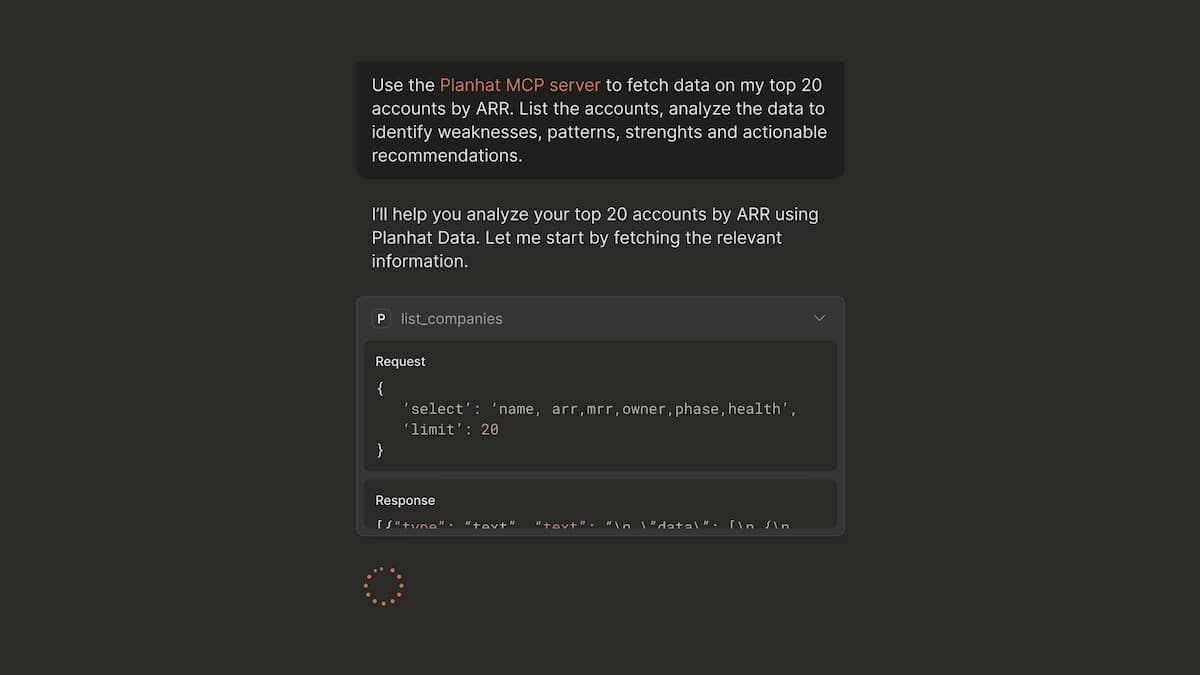
MCP Server Demonstration
Discover how Planhat's MCP Server empowers you to go from insight to action faster and more intelligently than ever.
MCP Server Demonstration
Discover how Planhat's MCP Server empowers you to go from insight to action faster and more intelligently than ever.
MCP Server Demonstration
Discover how Planhat's MCP Server empowers you to go from insight to action faster and more intelligently than ever.